Donut Clicker
New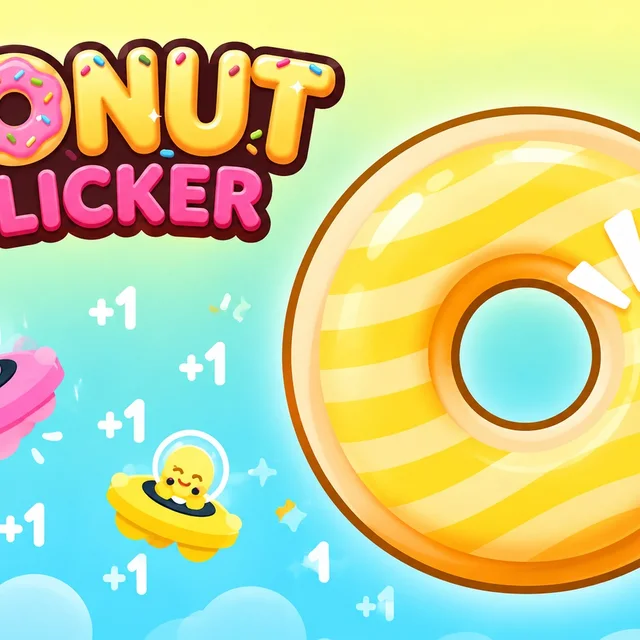
- Genre Idle games
- Players 1
- Session 15 min
- Price Free
- Updated
Your bakery starts with a name tag, a counter reading zero and one enormous pink donut covered in sprinkles. The shop sign at the top shows an auto-generated player name, the window behind it is dressed for the season (ours had jack-o'-lanterns and ghosts), and every click on the donut adds exactly one to the total. That number, and the smaller "per second" figure under it, are what the whole game is about.
The right-hand panel is the Buildings list. The first entry, the Dipping Finger, costs 15 donuts; the Fry Cook costs 100; below them sits a greyed-out card that reveals the next producer once you have earned 1,100. Each purchase raises your donuts per second, so after a few minutes the clicking becomes optional and the counter climbs by itself. The x1, x10 and x100 buttons set how many copies a single press buys, and a Buy/Sell toggle lets you cash in buildings when you want the donuts for something better.
Under the donut runs a little road where tiny vehicles roll past, and the sky above the shop is not always safe: flying saucers drop in from time to time and should be clicked away before they eat into production, while the occasional golden donut drifting across the screen pays out a burst of bonus income if you catch it. A Goals meter at the top tracks the current milestone, and the icons on the left open skins for the donut, a settings menu and a stats page.
The long game is the reset called Glaze Over: once growth slows, you trade the current bakery for a permanent multiplier and start again faster. It is the kind of tab that rewards checking back every few minutes rather than hammering the mouse.
| Left click / Tap the donut | Bake one donut per click (more with upgrades) |
|---|---|
| Click a building | Buy it, or sell it when the Sell toggle is on |
| x1 / x10 / x100 | Change how many buildings one press buys |
| Click a UFO or golden donut | Destroy the saucer or collect the bonus |
How to play Donut Clicker
- Click the big donut until the counter reaches 15, then buy a Dipping Finger from the Buildings panel.
- Keep clicking and save up 100 for a Fry Cook, the first producer that bakes at a noticeably faster rate.
- Watch the per-second number and spend on whichever building is affordable and adds the most.
- Click flying saucers as soon as they appear, and grab any golden donut that floats past.
- Switch to x10 or x100 once income is high enough that buying one at a time is slow.
- When progress stalls, use the Glaze Over reset to restart with a permanent production bonus.
Tips
- Early on, clicking is most of your income, so do not leave the tab until the first few producers are bought.
- A building's price rises with every copy you own; a cheaper producer you own few of is often the better buy.
- Leave the game open in a background tab while you do something else and come back to spend the pile.
Questions about Donut Clicker
What do you do in Donut Clicker?
Click a giant donut to earn donuts, spend them on producers that bake automatically, and keep reinvesting until the numbers get very large.
What is the first building?
The Dipping Finger, priced at 15 donuts. The Fry Cook follows at 100, and the third producer is revealed after 1,100 donuts.
What are the UFOs for?
Flying saucers are a random hazard that disrupts production; clicking them removes them before they cost you donuts.
What does Glaze Over do?
It resets your bakery in exchange for a permanent multiplier, so each new run grows faster than the last.
Can I play it on a phone?
Yes, tapping works the same as clicking, though the side panel is easier to read on a wider screen.
Does my bakery stay saved?
Progress is kept by the game in your browser, so returning on the same device picks up where you left off.