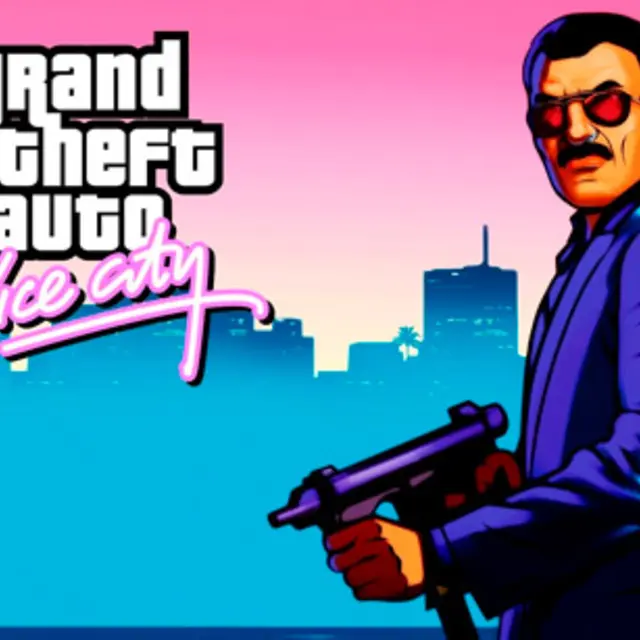
Quenq Vice City

- Genre Action games
- Players 1
- Session 30 min
- Price Free
- Updated
Quenq Vice City is an open-world crime sandbox set in a sunny 1980s coastal city, running in a browser tab rather than as an installed program. You arrive with nothing and work your way up. The city is split into districts, from neon-lit beach strips to shopping centres, and you can walk, take any car parked or passing on the street, and drive wherever you like. Story missions are marked on the map, and between them the city simply goes on around you.
The structure is the classic one for the genre. Missions pay cash, and cash buys property: a nightclub, a taxi company and other businesses, each of which opens its own chain of jobs and then pays out passive income. That income funds weapons, body armour and better getaway cars, which in turn make the harder missions possible. Crimes raise a wanted level, and the higher it climbs the more serious the police response becomes. Losing them means cutting through back alleys or driving into a respray garage to change the car's colour.
What sets this version apart is the browser side. The game loads its files into temporary memory, so the first start takes a while, and a built-in save manager lets you store progress, back it up and even import existing save files from your own drive. There is also a mod manager for loading custom vehicle models and textures. Click inside the game view once so it takes the keyboard.
This is a long game in the full sense. A single session can easily be an hour of driving and missions, and the full story is many hours. It is a keyboard-and-mouse game first, needs a reasonably capable computer, and contains violence and crime themes typical of the genre, so it is aimed at older players.
| W / A / S / D | Walk or drive |
|---|---|
| Mouse | Look around and aim the camera |
| Left mouse button | Attack or shoot |
| Space | Jump on foot, handbrake in a car |
| F / Enter | Get into or out of a vehicle |
How to play Quenq Vice City
- Wait for the game files to load, then click inside the game view so it receives keyboard input.
- Walk up to a vehicle and press F or Enter to take it, then drive with W, A, S and D.
- Follow the mission markers on the map to start story jobs and earn cash.
- Spend money on properties such as the nightclub and taxi company to unlock their jobs and passive income.
- When your wanted level rises, break line of sight in side streets or respray your car to lose the police.
Tips
- Use the save manager regularly and keep a backup, because browser memory is cleared when the tab or cache is.
- Buy the first income properties early; their payouts make weapons and armour much easier to afford later.
- Use the handbrake on Space for sharp corners during chases instead of braking in a straight line.
Questions about Quenq Vice City
Do I need to install anything?
No. The game loads into your browser's memory and runs in the tab.
Can I save my progress?
Yes. A built-in save manager stores progress, lets you back it up and can import save files from your computer.
How do I get rid of the police?
Break their line of sight through back alleys or drive into a respray garage to change the car's colour and clear the wanted level.
What are properties for?
Bought businesses such as the nightclub and taxi company unlock their own missions and pay passive income.
Why do the controls not respond?
Click once inside the game view after loading so it captures the keyboard.
Is it suitable for children?
No. It is a crime sandbox with shooting and violence and is aimed at older players.
Does it run on a phone?
It is designed around a keyboard and mouse and a capable computer; phones are not a practical way to play it.