Unbox the Room
New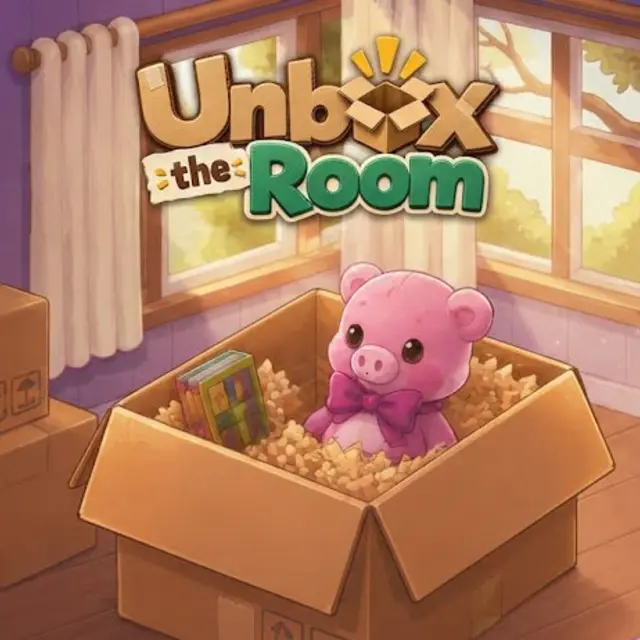
- Genre Puzzle games
- Players 1
- Session 15 min
- Price Free
- Updated
Unbox the Room starts with a year on a black screen, 1997, and then an isometric pixel-art bedroom. Red brick walls, a window with green gingham curtains, a wooden loft bed with a plaid duvet over a desk, a sliding-door cabinet, an empty bookshelf beside the ladder, and in the middle of the floor two stacked cardboard boxes, one printed Good Things Inside, plus an open one with a bunny sticker sitting on a green rug. That is the whole level. The task is to empty the boxes.
Clicking an open box lifts out the next item, and it rides on your cursor until you click it into place somewhere in the room. The first things out of the bunny box are small keepsakes, and the empty bookshelf by the ladder is the obvious first home for them. The fun is in the small decisions, such as whether the photo frame belongs on the shelf by the bed or on the windowsill, and in the tactile sounds each surface makes.
There is no timer, no score and nothing to lose. Zoom buttons in the top-right corner let you get close to a crowded shelf, and a pencil-and-notebook icon in the top-left opens a menu with Resume, Start Over, Album, Settings and Main Menu. The Album keeps the rooms you have finished, and a camera can record a short replay of your arranging.
What keeps you opening boxes is the story hiding in them. You never see the owner, but the objects age with her: a childhood bedroom in the late nineties gives way to later rooms and later years, and what she keeps, adds or leaves behind says more than any dialogue could. It is a quiet, unhurried game best played with a hot drink.
| Left click on a box | Take out the next item |
|---|---|
| Move the mouse and click | Place the item on a shelf, desk, floor or wall |
| Zoom buttons | Zoom in or out on the room |
| Notebook icon | Pause menu with Album, Settings and Start Over |
How to play Unbox the Room
- Click Play on the title screen and wait for the year card to fade into the first room.
- Click an open box to pull out an item.
- Move it to a sensible surface, such as a shelf or the desk, and click to set it down.
- Empty every box in the room to finish the level and move on in time.
- Use the Album from the pause menu to look back at finished rooms.
Tips
- Zoom in before placing small things on crowded shelves.
- Wall items such as frames usually want a wall, not a table, so try the brickwork.
- Take your time: there is no clock, and rearranging costs nothing.
Questions about Unbox the Room
What do I do in Unbox the Room?
Unpack moving boxes one item at a time and find a fitting place for each object in the room.
Is there a time limit or game over?
No, there is no timer, no score and no way to fail.
Is there a story?
Yes, told without words: the rooms move through the years from 1997 and the belongings reveal the owner's life.
How many rooms are there?
The story runs across 35 rooms and eight stages of life, from 1997 to 2018.
Can I see my finished rooms?
The pause menu has an Album that keeps completed rooms.
Does it work on a phone?
We played it with a mouse; touch was not confirmed, so a computer is the reliable option.
Do I need to install it?
No, it runs in the browser.