Apple Knight
New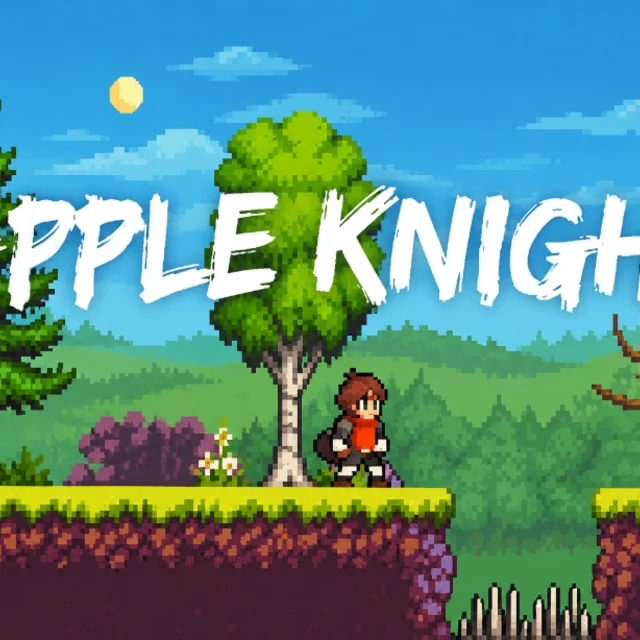
- Genre Action games
- Players 1
- Session 5 min
- Price Free
- Updated
Apple Knight opens on a campfire under a pale moon, a horned warrior leaning on his axe beside it, and a single square Play button. Press it and you are dropped into a forest stage as a small sword-carrying knight, with three red hearts in the top corner and four counters beneath them: apples collected out of thirty, lives left, gold, and two kinds of chests found. A hooded archer is already waiting a screen to the right.
Combat comes from two directions. The sword handles anything within arm's reach, and quick swings will stagger a lightly armoured soldier. Apples are the ranged option: you throw them in a flat arc, which lets you soften an archer or a mage before closing the gap, and each one you throw is one less in your stock, so you pick up spares from bushes and crates as you go. Stages are also full of spikes, swinging blades and crushing pillars that hurt enemies exactly as much as they hurt you, and luring a knight onto his own trap is often the cheapest kill on the screen.
Movement is where the game asks for practice. You can double jump, push off walls to climb shafts, and dash in mid-air to clear a gap that a jump alone will not cover. The dash is also the way into most secrets: the chest counter tells you how many are in a stage, and the last couple are nearly always behind a wall jump or a dash you did not try the first time.
Between stages, gold buys stronger weapons, armour, spells and pet companions in the shop on the title screen, and losing all your lives only sends you back to the start of the stage, not the whole game. This copy plays with the keyboard; the on-screen prompt at the start shows arrows or A and D for walking.
| Arrow keys / A, D | Move left and right |
|---|---|
| Space / Z | Jump, double jump and wall jump |
| Ctrl / X / K | Sword attack |
| Shift / C / L | Throw an apple |
| Alt / V | Dash |
How to play Apple Knight
- Press the Play button on the campfire screen to start the first stage.
- Walk right with the arrows or A and D, and learn the jump and dash on the opening platforms.
- Hit nearby enemies with the sword and throw apples at archers and mages before approaching.
- Lead armoured foes into spikes and blades instead of trading blows with them.
- Search for the chests counted in the top left, then reach the end of the stage.
- Spend gold in the shop on better gear, spells and a pet before the next level.
Tips
- Throw one apple to make a ranged enemy flinch, then dash in while it recovers.
- If a chest counter is not full at the exit, go back and try a wall jump on any tall, narrow shaft.
- Buying armour early saves more retries than buying a bigger sword.
Questions about Apple Knight
What do the counters at the top mean?
They show hearts, apples collected out of the stage total, remaining lives, gold, and the two types of chests found so far.
How do I throw apples?
Press Shift, C or L. Each throw uses one apple from your stock, which you refill from the level.
Can I wall jump?
Yes, jump into a wall and press jump again to push off it, which is how most vertical shafts are climbed.
Does it work on a phone?
This version is driven by the keyboard, so it is best played on a computer.
Is this the official Apple Knight?
No. It is a browser copy hosted on a third-party mirror; the original game is sold by its developer on mobile and PC.