Last Light
New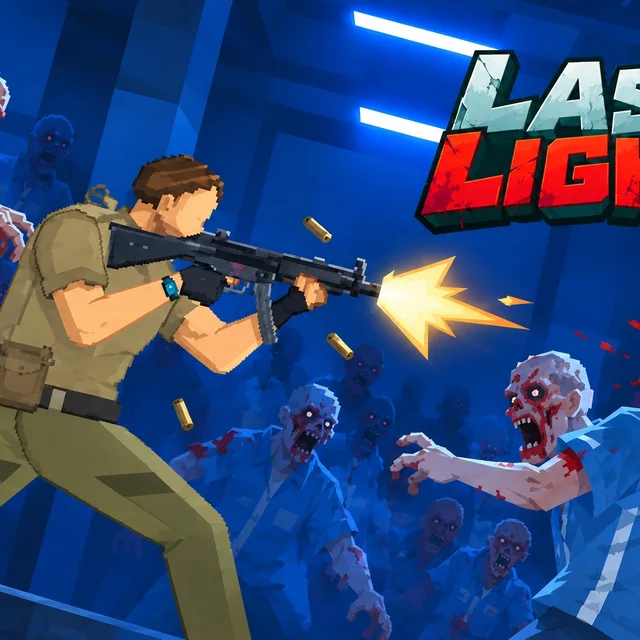
- Genre Action games
- Players 1
- Session 5 min
- Price Free
- Updated
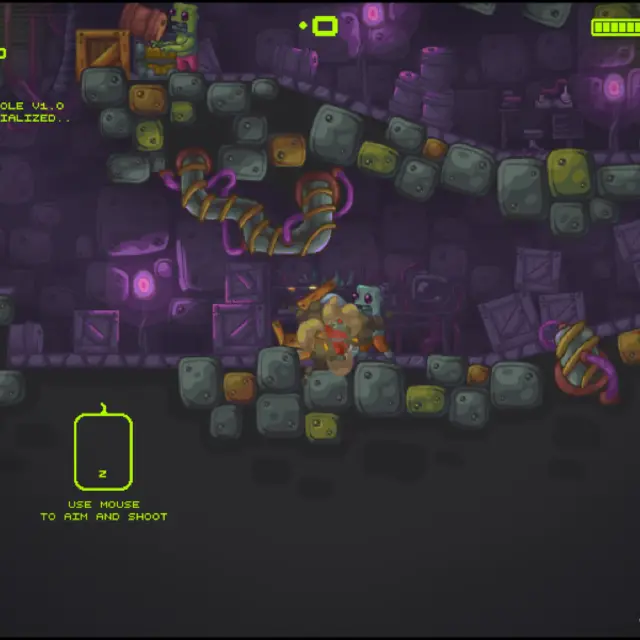
Last Light opens on a blood-red corridor outside a shuttered pharmacy kiosk, with a wall of trophies above the main menu: finish on Easy, Medium and Hard, kill one, two and five thousand zombies, repair everything, beat the lab in seven days, finish a run without being hit. Those badges tell you what the game is before you press New Game. You are trapped in an underground research complex overrun by the infected, and the only way out is up.
A run starts with a difficulty choice, and the menu is blunt about it: rankings count only on Hard, and you should clear Easy at least once to be strong enough for it. After an optional cosmetic hat, the camera drops you into a dim side-view room where your survivor wakes up asking where he is and how he got there. The corner of the screen shows a coin purse, a red health canister reading one hundred, and three meters labelled Light, Security and Elevator.
Those meters are the heart of the game. The building's power has to be shared between keeping corridors lit, running security systems and getting the elevator working, and asking too much of the grid trips the breakers and sets off alarms that draw the mutants in. Quiet hours are for scavenging coins, keycards and supplies from desks and lockers; when midnight comes the horde attacks, and you want vending machines shoved into doorways and turrets set up behind them before it does. Coins buy weapon damage, faster reloads and stat pills, and the menu keeps lifetime totals for damage dealt and zombies killed.
Shooting is twin-handed on a keyboard and mouse: move with W, A, S and D, hold the right button to aim and click to fire, with R to reload and E to interact. It is a slower, more tactical zombie game than most, closer to a siege planner than an arcade gallery, and the gore is cartoonish.
| W A S D | Move and use stairs |
|---|---|
| Right mouse button | Aim |
| Left mouse button | Shoot |
| R | Reload or pick up items |
| E | Interact or take pills |
| Shift | Move faster |
How to play Last Light
- Choose New Game and pick Easy, Normal or Hard; Easy is the right start.
- Skip or pick a hat, then explore the first floor while it is quiet.
- Search rooms for coins and keycards that open locked security areas.
- Divide power between Light, Security and Elevator without overloading the grid.
- Before midnight, block corridors with vending machines and place turrets behind them.
- Survive the night attack, spend coins on upgrades and push on to the next floor.
Tips
- Do not run every system at once: a tripped breaker brings an alarm and a rush of zombies at the worst moment.
- Hold your ammunition during the quiet hours so you have full magazines when the midnight wave starts.
- Pick choke points for barricades, where enemies have to queue up in front of your turret.
Questions about Last Light
What is the goal in Last Light?
Climb through the infected laboratory floor by floor and reach the surface, surviving each nightly zombie assault on the way.
What do the Light, Security and Elevator meters mean?
They show how the building's limited power is shared; overloading it trips the breakers and triggers alarms.
Which difficulty should I choose?
Start on Easy. The game itself recommends finishing Easy once before Hard, and only Hard runs count toward rankings.
Does progress carry over between runs?
Lifetime stats such as total damage and zombies killed, plus unlocked badges, are kept on the main menu.
Is it violent?
Yes, it is a zombie shooter with blood splatter, drawn in a cartoon style rather than realistically.
Can I play it on a phone?
It is built for a keyboard and mouse, so a computer is the better choice.