My New Town
- Genre Educational games
- Players 1
- Session 12 min
- Price Free
- Updated
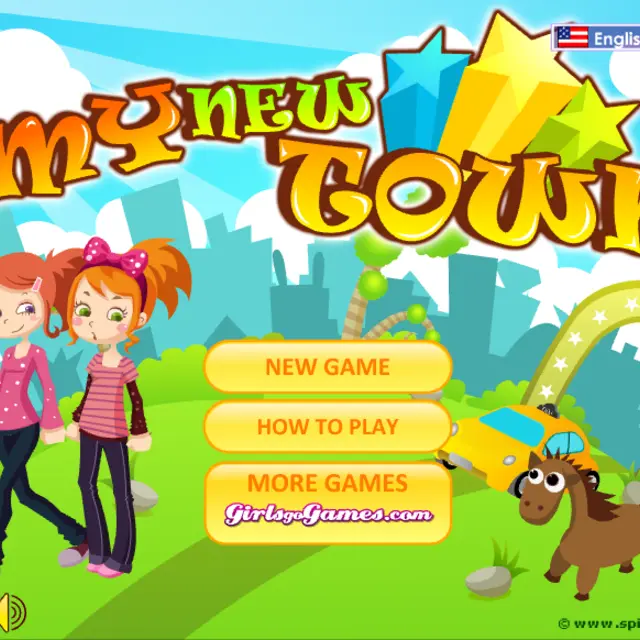
My New Town takes the drag-and-drop idea of a room decorator and stretches it over a whole map. Instead of furniture, the catalogue is split into ground blocks such as pavement, road, grass and water; buildings for living and working, from houses and offices to shops and farm buildings; transport including cars, buses and boats; attractions and bridges; animals and people; and finally trees, traffic signs, water towers, wells and fences. Click something and it appears in your town, ready to drag. A small toolbar next to each item turns it, sends it behind or in front of its neighbours, paints it with a colour or pattern, lets you draw on it, or deletes it. The main toolbar goes further: free drawing on the town, a weather picker, a choice of setting that ranges from countryside and city to ocean and space, background music, a printer and a restart button. It is a creative toy from Spil Games with a seven-page guide built in.
| Category tabs | Choose ground, buildings, transport, attractions, animals or greenery |
|---|---|
| Click, then drag | Add an item and move it |
| Item toolbar | Turn, layer, colour, draw on or delete the selected item |
| Main toolbar | Draw, set weather and setting, print or restart |
How to play My New Town
- Click New Game; How to Play explains every button across seven short pages.
- Start with ground blocks to mark out roads, grass and water.
- Add buildings, then transport, bridges and attractions along the roads.
- Select any item to turn it, change its layer or give it a colour or pattern.
- Finish with the weather, the setting and your own drawings on the map.
Tips
- Place ground tiles before anything else, because items dropped earlier can end up underneath them.
- The pattern palette works on parts of an item separately, so a house can get a striped roof and plain walls.
- Switch the setting to space or ocean after building; the same town looks completely different.
Questions about My New Town
What can I build in My New Town?
Roads, water and grass, homes, offices, shops and farms, vehicles, bridges, attractions, animals, people and street details.
Can I draw on the town?
Yes. There is a pencil for lines and a bucket for filling shapes, with adjustable line size.
How do I start again?
Use the start-over button on the toolbar to clear the map.
Can I change where the town is?
Yes. The setting option moves it between places such as the countryside, a city, the ocean or space.