My New Room 2
- Genre Educational games
- Players 1
- Session 10 min
- Price Free
- Updated
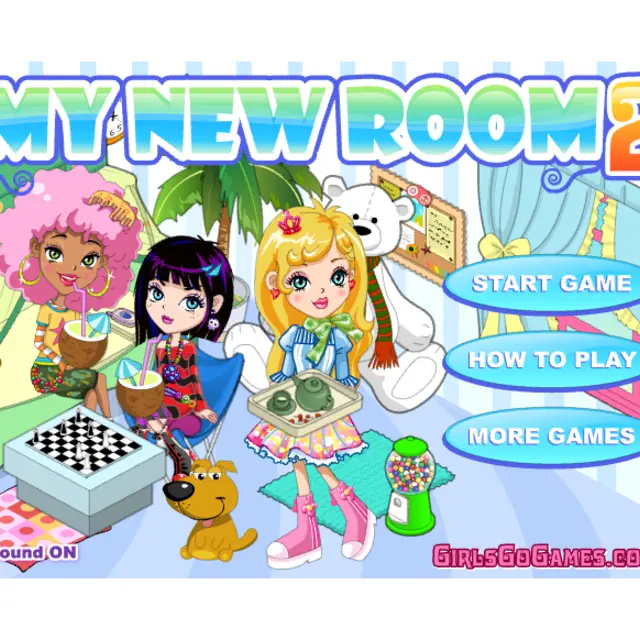
The second My New Room starts you in a bare corner room drawn at an angle: pale blue walls, a checkerboard floor, one door and a window with blue curtains. A girl with black and purple hair pops up to say hello and points you to the Tutorial button, and after that the room is yours. The column of round icons on the right opens the catalogue by category, and each category is a small book you flip through page by page. Beyond the usual sofas and shelves, this sequel adds a whole section for animals, with a dog, a cat, a piglet, a fish bowl and an aquarium among the pages, plus larger pieces such as a piano. Everything you place can be turned, pushed behind or in front of other objects, recoloured with the brush or scribbled on with the pencil. Small arrows at the top right change the view outside the window. It is a classic Spil Games decorating title with no score and no time limit.
| Right-hand icons | Open a catalogue category |
|---|---|
| Click an item | Place it in the room, then drag it into position |
| Bottom toolbar | Move, rotate, change layer, delete or print |
| Brush and pencil | Recolour items or draw on them |
How to play My New Room 2
- Press Start Game and, if you like, click Tutorial for a quick walkthrough.
- Pick a category from the icons on the right and page through the catalogue book.
- Click an item to drop it into the room and drag it to where it should stand.
- Select a placed object and use the bottom buttons to rotate it or bring it forward or back.
- Finish with paint, a pattern on the walls and floor, and a pet or two, then print the result if you want a copy.
Tips
- Lay out the big furniture first; small ornaments are easier to layer on top once the room has a shape.
- Use the send-back button when a rug covers the feet of a chair or table.
- The pet pages are worth browsing early, since animals need floor space.
Questions about My New Room 2
What is new in My New Room 2 compared with the first game?
More catalogue items overall, a dedicated pets section and options such as a piano, along with rotating and layering tools for every piece.
Is there a goal or a score?
No. It is free decorating with no timer, so you finish when you like the room.
Can I change the wall and floor colours?
Yes. The paint and pattern icons at the bottom of the right-hand column restyle walls, floor and items.
Does it work with touch?
Yes. Placing, dragging and choosing tools all work with taps and drags.