Blob Opera
- Genre Educational games
- Players 1
- Session 5 min
- Price Free
- Updated
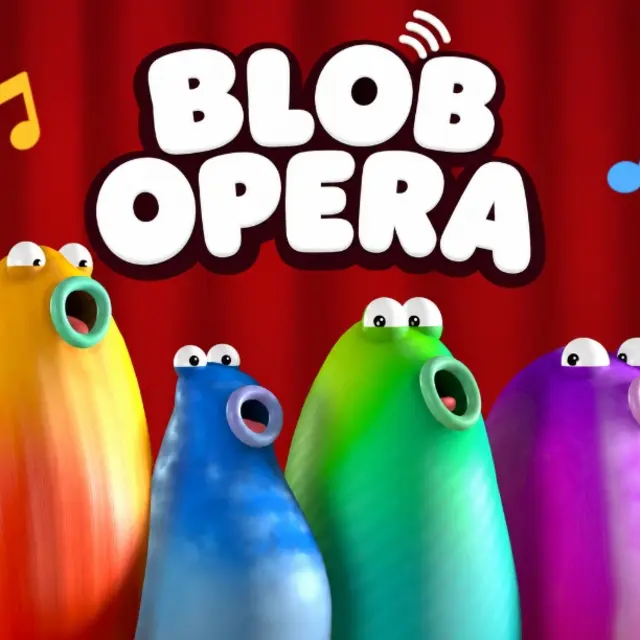
Four soft, colourful blobs stand on a stage with their mouths closed, waiting. Grab one with the mouse or a finger and it starts to sing, and the moment it does, the other three join in on their own. Blob Opera is an interactive music experiment made by David Li together with Google Arts & Culture, and it runs right here in the page with nothing to install. There is no score, no timer and no way to lose, which is exactly why it works so well as a toy: every drag produces something that sounds like a real choir.
The trick behind that sound is that none of it is a recording. The voices come from a machine learning model trained on sixteen hours of singing by four opera performers, a bass, a tenor, a mezzo-soprano and a soprano. Instead of playing back stored clips, it builds each note as you move, so a blob can hold any pitch you drag it to and the rest of the quartet can shift underneath to support it in real time.
Control comes down to two directions. Vertical movement sets the pitch: lift a blob for a high note, pull it down for a low one. Horizontal movement bends the vowel, sliding smoothly through sounds close to "ah", "ee", "oh" and "oo". Because the harmony is automatic, you never need to know which chords fit together; you lead with one voice and the others find their places.
Beyond free play there are a few extras. A record button captures a performance and gives you a link to send to someone. A globe icon takes the quartet on tour to stages in cities such as London, Paris, Seoul and Cape Town. A seasonal toggle puts festive hats on them and switches to holiday songs.
| Mouse drag up / down | Raise or lower the pitch of the blob you hold |
|---|---|
| Mouse drag left / right | Change the vowel sound |
| Record button | Record a performance and get a share link |
| Globe icon | Open the world tour stages |
| Touch | Drag a blob with one finger |
How to play Blob Opera
- Click or touch any of the four blobs and hold. It starts singing as soon as you grab it.
- Drag upward for higher notes and downward for deeper ones. The other three blobs change their notes to stay in harmony.
- Slide sideways while holding to shift the vowel from an open "ah" to a narrow "ee" or a round "oo".
- Let go to end the phrase, then pick a different blob to lead the next line with a different voice type.
- Press record before you start if you want to keep a take, and use the share link it gives you afterwards.
Tips
- Short, stepwise moves sound like singing; big jumps sound like a surprised yelp.
- The bass blob leading a slow melody gives the richest chords, because the upper voices fill the space above it.
- Try the tour stages to hear what longer arranged pieces sound like before building your own.
Questions about Blob Opera
Who made Blob Opera?
It is a music experiment by David Li created in collaboration with Google Arts & Culture.
Are the voices recorded samples?
No. A machine learning model trained on four opera singers generates each note live as you move a blob.
Do I need to know music theory?
Not at all. You move one voice and the other three adjust automatically so the result stays in harmony.
Can I win or lose?
Neither. There are no points, timers or penalties; it is an open sound toy you play for as long as you like.
Does it work on a phone or tablet?
Yes. Touch and drag a blob the same way you would with a mouse.
Can I save what I made?
Use the record button. When you stop, it produces a link you can share with friends.
What is the holiday mode?
A seasonal toggle that dresses the blobs in festive hats and lets them sing holiday tunes.