Girls Go Fashion Party
- Genre Puzzle games
- Players 1
- Session 7 min
- Price Free
- Updated
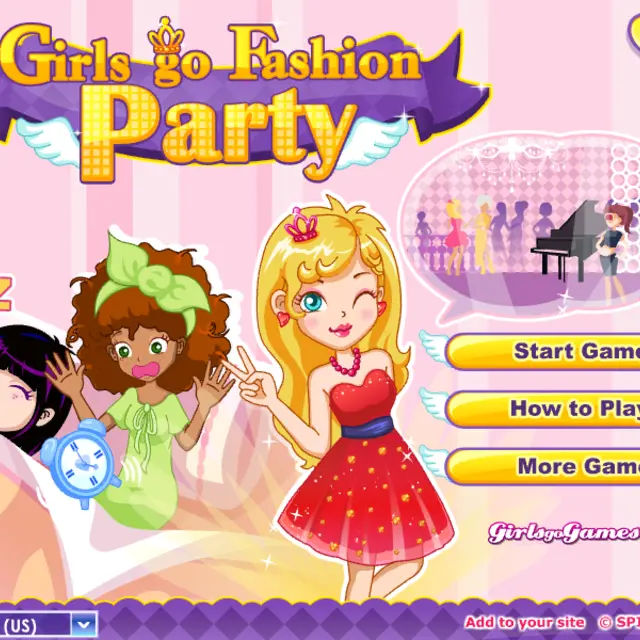
The alarm rings, the party starts soon and nobody can find her phone, her bag or her lipstick. Girls Go Fashion Party, a Spil Games title from the early 2010s, turns the usual dress-up routine into a race. First you search the girls' home for missing things while a clock counts down from 120, then you move to the closet for an outfit and finish with eye and lip make-up. A Party Diary calendar opens before each run and allows one party per day, so the game is built for a short visit rather than a long session. It rewards a sharp eye as much as taste: the faster the hunt goes, the more time is left for the styling part.
| Click | Pick up a hidden item or choose clothing |
|---|---|
| Room tabs (top right) | Move between the rooms of the house |
| Heart with question mark | Show a hint |
| Pause button | Stop the clock |
How to play Girls Go Fashion Party
- Press Start Game, then pick today's date in the Party Diary to begin.
- Read the silhouettes at the top of the screen: they show exactly which items are still missing.
- Click each object as soon as you spot it, and switch rooms with the round tabs in the upper right corner.
- Once everything is found, open the closet and choose hair, top, skirt and shoes for the girls.
- Finish with the eye and lip make-up before the counter reaches zero so the friends make it out the door.
Tips
- Scan the edges of the bed, the rug and the curtains first; small items like earrings often hide in folds of fabric.
- Save the hint for the very last object instead of spending it early.
- Decide on one colour for the whole outfit before you open the closet so the styling stage takes seconds, not minutes.
Questions about Girls Go Fashion Party
Why can I only play one party a day?
The Party Diary works like a daily calendar, which is part of the game's design.
How long do I have?
The alarm clock in the corner starts at 120 and counts down while you search.
What are the grey shapes at the top?
They are outlines of the items still to be found; each one fills in when you click the object.
Is there a hint?
Yes, the heart icon with a question mark points you toward something you have missed.