Girl Fashion
- Genre Educational games
- Players 1
- Session 8 min
- Price Free
- Updated
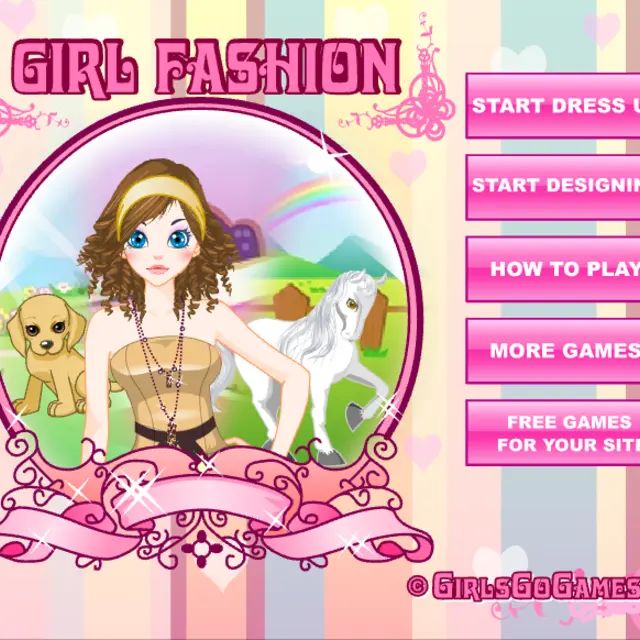
Girl Fashion does more than one thing. The first mode is classic drag and drop: pick up a top, jeans, a skirt, boots, a bag or a necklace from the shelves of a big pink wardrobe and let go of it over the girl standing in her pastel bedroom. A panel on the left changes the scene and her face, with background choices, skin tone, eye colour, eye shadow, lipstick and eyelashes. The bottom bar then lets you switch to a white horse in a rainbow meadow, with coat, mane and eye colours plus saddles, bridles, ribbons and leg wraps, and to a puppy under a tree, whose kennel-shaped cupboard holds hats, raincoats, boots, bandanas and silly glasses. The second mode is a design editor where you give garments a new colour and pattern.
| Drag and drop | Move an item from the wardrobe onto the character |
|---|---|
| Pink arrows | Scroll a wardrobe shelf |
| Colour squares | Set skin, eyes, make-up, coat or fur |
| Bottom bar icons | Switch between the girl, horse and puppy |
| Preview | Hide the wardrobe to see the full picture |
How to play Girl Fashion
- Choose Start Dress Up on the menu, or open How to Play for a two-page picture guide.
- Drag clothes and accessories from the shelves and drop them on the girl; the arrows at each end of a shelf show more items.
- Use the colour squares on the left for skin, eyes, eye shadow, lips and lashes.
- Switch to the horse or the puppy with the icons under Dress Up and style them the same way.
- Open the Design Editor to pick a garment, change its colour and pattern, save it and try it on.
- Press Preview to hide the wardrobe and see the finished scene, which also brings up a Print button.
Tips
- Dress the three characters in one shared colour and the preview screens look like a matching set.
- Design a plain piece first, such as a vest top; patterns show more clearly on simple shapes.
- If a dropped item does not stay on, drag it again and release it closer to where it would be worn.
Questions about Girl Fashion
Can I dress animals too?
Yes. Besides the girl there is a white horse and a puppy, each with its own wardrobe and colour options.
What does the design editor do?
It lets you pick a garment, change its colour and pattern, save it and then try it on the character.
Do I need the keyboard?
No. Everything is done by clicking and dragging with the mouse or a finger.
Is it suitable for young children?
Yes. There is no score, no timer and nothing to lose.