Snail Bob
- Genre Puzzle games
- Players 1
- Session 20 min
- Price Free
- Updated
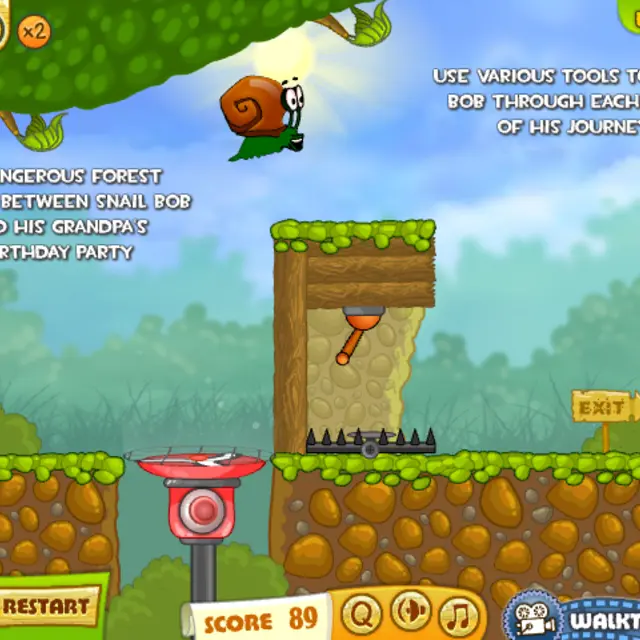
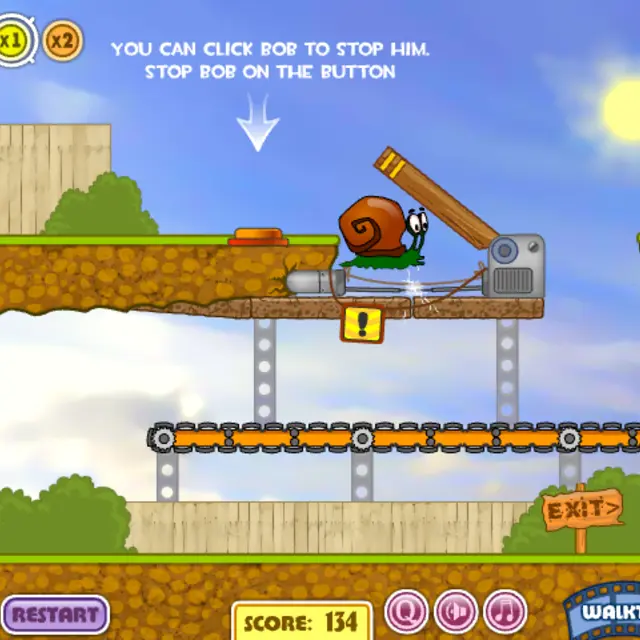
Bob needs a new house, and the trip there runs through a building site full of machines. He is a snail in a construction helmet who never stops on his own: from the moment a level starts he slides slowly to the right, straight into whatever is ahead. Your job is to change the scenery in front of him. The first stage teaches the idea with a log on a crane and a hydraulic lift: pull the lever to raise the log out of his way, let him crawl onto the lift, then hit the red button to send him up to the exit pipe. The second stage adds the other main tool, stopping Bob himself. Clicking his shell makes him hide and wait, and a tutorial asks you to park him on a pressure plate while an electric arm and a swinging plank are dealt with. Get the order wrong and he is flattened, followed by a Game Over sheet and an instant retry. The level map in this first game is a tower of 20 numbered blocks, and a score runs down the longer each stage takes.
| Click Bob | Make the snail stop and hide in his shell; click again to send him on |
|---|---|
| Click levers | Move cranes, raise or lower platforms and swing parts of the machinery |
| Click buttons | Fire lifts, conveyors and switches marked with a dashed circle |
| x1 / x2 | Change how fast Bob crawls; the doubled speed saves time on easy stretches |
How to play Snail Bob
- Click Play on the title screen, skip the intro and open the first block on the level map.
- Watch Bob start crawling and look for anything marked with a white dashed circle; those parts can be clicked.
- Clear the path ahead of him in the right order, for example lift the log first and press the lift button only when he is on it.
- Click Bob to pause him whenever a trap needs time to reset or he must stand on a pressure plate.
- Reach the yellow exit pipe to finish the level. The faster you do it, the higher the score on the results sheet.
Tips
- Before you click anything, let Bob move a little and study the whole level; most failures come from acting too early.
- The score counts down from the start, so once you know a solution, set the speed to x2 to keep more points.
- Clickable parts are marked with a white dashed circle, so scan for them first instead of clicking the scenery at random.
- If Bob is crushed or zapped, use Restart instead of the walkthrough button; most levels need only two or three steps.
Questions about Snail Bob
How many levels does Snail Bob have?
The level map shows 20 stages stacked like a building. Each new one unlocks after you clear the previous.
Can I stop the snail?
Yes. Clicking Bob makes him hide in his shell and wait. Clicking him again lets him crawl on.
Is it suitable for kids?
Yes. There is no text to read beyond short hints, and failing only shows a cartoon of a squashed snail before a retry.
Does it run on a phone?
It uses clicks only, so it can be played by tapping. Some clickable parts are small, a larger screen helps.