Horse Stable Kissing
- Genre Arcade games
- Players 1
- Session 4 min
- Price Free
- Updated
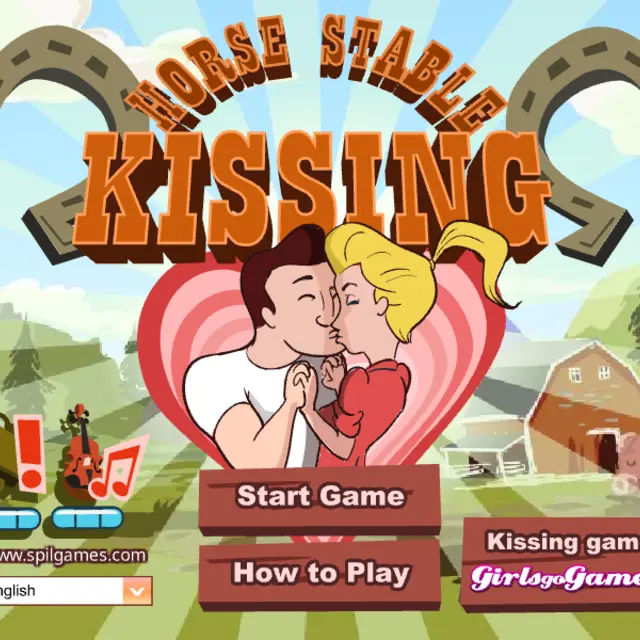
Two young ranch hands share a stable, a pink horse and a crush, but the farm boss keeps watch from a half door with a scowl. Horse Stable Kissing is a light romantic timing game from Spil Games, released around 2009 in a cartoon western style. The couple should be grooming the horse and sweeping the straw; you decide when they take a break for a quick kiss. Hold the mouse button only while the boss has nodded off, and let go the moment he stirs. The top bar shows a Record, the current Score and a Time counter that starts at 200, so every run is a short sprint of watching, waiting and acting. It is sweet rather than steamy, and the boss's grumpy face does most of the comedy.
| Hold mouse button | The couple kiss and points climb |
|---|---|
| Release | Back to work before the boss notices |
How to play Horse Stable Kissing
- Press Start Game, read the one-line instruction and press Start.
- Watch the boss at the stable window.
- When his eyes close and he falls asleep, press and hold the mouse button.
- Release the button as soon as he begins to wake up.
- Score as much as you can before the Time counter runs out and try to beat your Record.
Tips
- The first moment after he dozes off is the safest; the end of his nap is where runs go wrong.
- Short, frequent kisses are safer than one long one.
- Keep your eyes on the boss, not on the couple or the score.
- If you are unsure whether he is still asleep, wait one more second; a lost second costs less than getting caught.
Questions about Horse Stable Kissing
When should I click?
Only while the boss is sleeping; the how-to screen says exactly that.
Is it suitable for kids?
Yes. It is a cartoon with harmless kisses and a comic grumpy farmer.
How long is a round?
The timer starts at 200, so a round takes a few minutes.
What do Record and Score mean?
Score is the current round; Record keeps your best result so far, so there is always a number to chase.
Does it need a keyboard?
No, a single mouse button or a finger on a touch screen is enough.