Riddle School 5
- Genre Puzzle games
- Players 1
- Session 25 min
- Price Free
- Updated
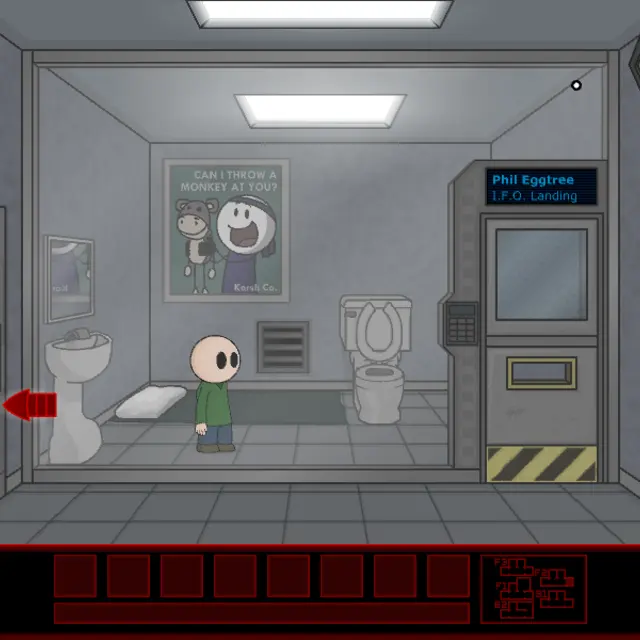
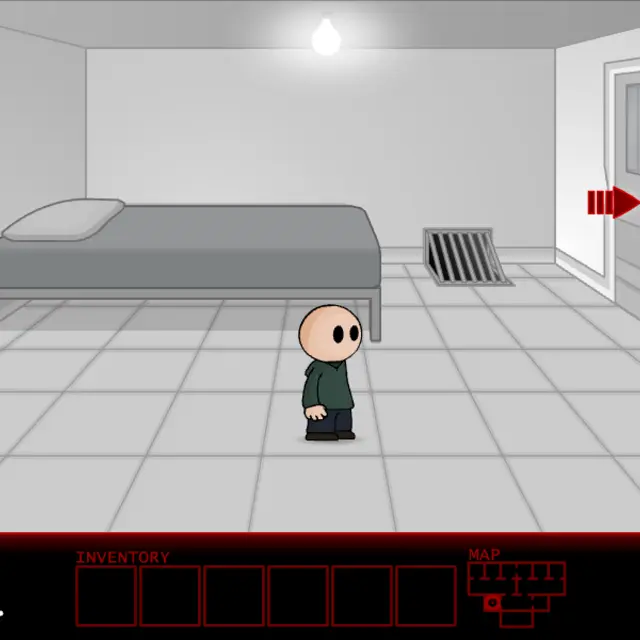
The fifth episode leaves the classroom behind. After a radio-style opening, where unseen voices on a green striped screen talk about dreams becoming reality, Phil appears in a small, almost colourless room: a metal bed with one pillow, a single bulb in the ceiling, a floor vent held in place by screws and a heavy door with bars in its window. Phil looks at the door and says it has no doorknob, then looks up and decides the light bulb will be the brightest part of his day. Released on 2 April 2010, the day after the joke fourth episode, this is the real continuation and the most system-heavy entry so far. Objects show their names when you roll over them, dialogue cycles on click, and some puzzles ask you to combine two items in your inventory before using them. The menu has a Continue option, so progress survives between visits.
| Mouse over | Reveals the name of anything you can use, like pillow, bed or vent |
|---|---|
| Click an item | Picks it up from the room or out of the six inventory slots so you can carry it around the screen |
| Click again | Uses the carried item on whatever is under the pointer, or on another item to combine them |
| Red arrows | Zoom in on a spot or back out; the map sits to the right of the inventory |
How to play Riddle School 5
- From Main Menu pick Play Game for a new run or Continue to load your last save. Read Instructions once; it is short and clear.
- Skip Opening is in the bottom-left corner if the intro voices drag on.
- In the cell, check the door first. It cannot be opened from inside, which leaves the vent and the furniture as your leads.
- Click the vent to zoom in on its grille and screws, then search the room for something that could work as a tool.
- Carry items over each other to combine them when nothing in the room accepts them alone, and keep pushing outward through the facility.
Tips
- Labels appear only for things that matter, so if the pillow and bed show names, both are worth a closer look.
- Combining is rare but essential. When you are stuck with two items and no target, try one on the other.
- Pressing Tab to highlight clickable spots, an old trick in Flash games, is disabled. The instructions say so with a wink.
- Delete Save Data in the menu corner wipes progress, so do not click it by accident.
Questions about Riddle School 5
Does Riddle School 5 save progress?
Yes. The menu has a Continue entry, and there is a separate link to delete the save if you want a clean run.
Is this the real sequel after the prank episode?
Yes. It came out one day after the April Fools' fourth game and is a full point-and-click adventure with a proper story.
What do I need to play?
Only a mouse. The instructions screen states that the whole game is played with the pointer, with no keyboard use at all.
Will it work on a phone?
Taps act as clicks, so you can move around. You will miss the rollover labels, which matter a lot in this episode, so a computer is recommended.